How to find an email by a word inside a PDF attachment
In Gmail, search for the word and add has:attachment filename:pdf. Gmail can often match text inside PDFs, though Google's help pages don't promise it for every file. Apple Mail can only match words in attachments it has downloaded and Spotlight has indexed. If you remember anything about the file's name, filename: is the most reliable search of all.
Does Gmail search inside PDF attachments?
Often, yes. Google added searching inside attachments to Gmail years ago, and searching for a word that only appears in a PDF regularly finds the email. But Google's current Refine searches in Gmail page doesn't describe it. It lists has:attachment and filename:, and stops there. So treat a match inside a file as a bonus, not a promise.
Two cases are worth knowing:
- Scanned PDFs are pictures of pages. If the PDF has no real text in it, there may be nothing to match. A quick test: open the PDF and try to select a sentence. If you can't, search won't find it either.
- Password-protected files can't be read by anything that doesn't have the password.
To give Gmail the best chance, combine the word with the attachment operators:
has:attachment "policy number"filename:pdf reimbursementfrom:hr@example.com filename:pdf after:2026/01/01
Can Apple Mail find words inside attachments?
Apple Mail's search runs on Spotlight, and Spotlight can read the text of PDFs and many other documents on your Mac. So an attachment that Mail has downloaded can usually match a word inside it. An attachment Mail hasn't downloaded has no text on your Mac, so it can't match.
Mail's account settings include a Download Attachments choice: All, Recent or None. According to Apple's guide, that choice covers files such as spreadsheets and zip files, while media attachments, PDFs included, are always downloaded. So for PDFs, the usual reason for a miss is that the message itself hasn't finished downloading, or that the index is out of date.
If an attachment is downloaded and still doesn't turn up, the Spotlight index may be the problem. Our guide to fixing Apple Mail search walks through re-indexing.
One more trick: if it's a file you'll need again, save it to a folder. Spotlight (Command-Space) indexes it like any other document, and you'll find it without going near your mail.
What's the fastest way to find an attachment?
Most of the time you remember something about the email, even when you don't remember the file. Search for that first.
- By file type:
filename:pdf,filename:docx,filename:xlsx. - By name:
filename:invoicefinds invoice-2026-03.pdf and friends. - By sender and time:
from:landlord@example.com has:attachment after:2026/06/01. - By size: in Gmail,
larger:5M has:attachmentfinds the heavy ones. - By Google file: in Gmail,
has:drive,has:documentorhas:spreadsheetfinds mail with Google Drive files in it.
The full list of operators is in our Gmail search operators cheat sheet.
How does MailMind search words inside PDFs?
MailMind indexes the words inside PDFs and text files, on your device, once the file is on this device. That means a PDF you've opened or downloaded. It does not download every attachment in your mailbox to read it. Attachments only download when you open them, which keeps storage small and your mail on your own devices. So a PDF you've never opened won't match by what's inside it.
For mail you haven't downloaded, MailMind also runs your search on the mail server for older mail and merges the results. For Gmail accounts that's Gmail's own search, so whatever Gmail matches can show up in MailMind too.
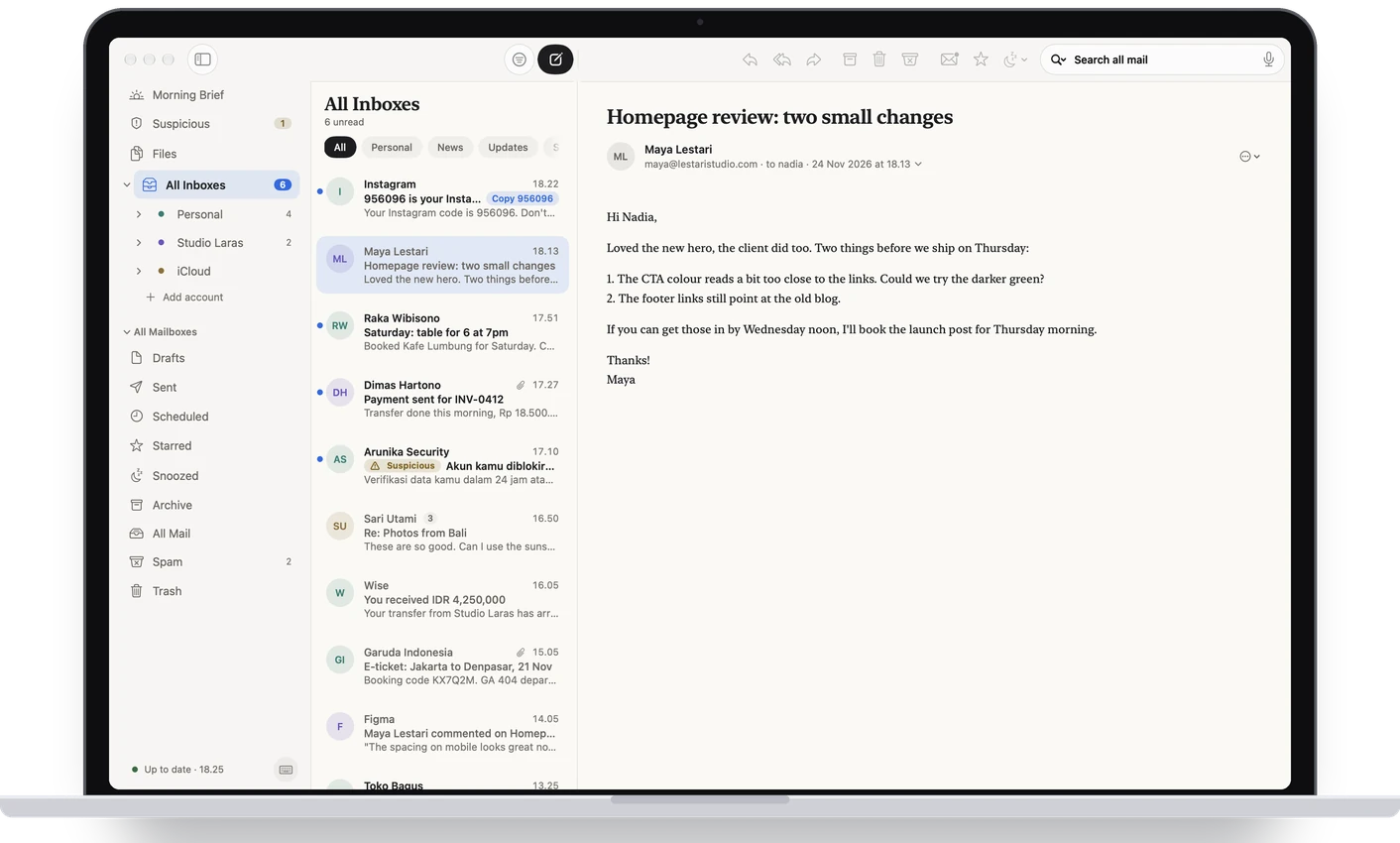
The attachment searches above work in MailMind as well:
filename:andhas:attachmentwork as they do in Gmail.- Type
pdfon its own to look for PDFs. - Switch the sort to Best Match and attachment names count just after the subject and sender.
- Typos are forgiven, and words typed together are read as Gmail reads them, so
hellokittyfinds "Hello Kitty". - Put the exact words in quotes, and MailMind matches them exactly, with no typo correction.
When you open the email, it opens on the match, and a match bar ("1 of 3") lets you step through the rest. When an email is only a PDF, like a bank announcement, its pages show right in the email. On Mac, ⌘G goes to the next one. For more on how MailMind handles your mail on the device, see our privacy page.
Frequently asked questions
Why can't Gmail find a word I know is in a PDF?
The PDF may be a scan with no real text in it, or the file may be protected. Try searching by what you remember about the email instead: the sender, a rough date, and filename:pdf.
Does Spotlight search inside email attachments on a Mac?
It can for attachments Apple Mail has downloaded, since Spotlight reads the text of PDFs and many documents. A message that hasn't finished downloading can't match.
Does MailMind search inside every PDF in my mailbox?
No. MailMind searches the words inside PDFs and text files once the file is on your device, meaning you opened or downloaded it. For older mail it also runs your search on the mail server and merges the results.
What's the most reliable way to find an attachment?
Search by file name or type with filename:, and add the sender or a date. File names are part of the email itself, so they match even when the text inside the file can't be read.
A calm, private mail app for Mac, iPhone and iPad. Your mail stays on your devices, and the AI runs on them too. See what it does.
Get MailMind