Email app with on-device AI: summarize mail without the cloud
An email app with on-device AI runs its summarizer on your own Mac, iPhone or iPad, so your messages are not sent to a cloud AI service. Before you pick one, check three things: where the model runs, whether you can switch it off, and whether the app keeps a copy of your mail on its own servers. MailMind is built that way, and it is coming to the App Store.
What does "on-device AI" mean for email?
On-device AI is a language model that runs on your own computer instead of on a company's server. For email, that means the text of a message stays on your Mac while it is summarized or while a reply is drafted.
This matters more for email than for most things you type. An inbox holds contracts, medical notes, bank messages and one-time codes. Many people are happy to let a cloud service read some of that. Others want a choice, and a setting they can find.
On-device does not mean your mail is stored only on your device. Your messages still live with your email provider, such as Google or iCloud. What changes is who else gets to process the text.
What should you check in any email app with AI?
- Where does the model run? The app's privacy page should say whether text goes to a cloud AI. If it does not say, ask.
- Can you turn it off? You should be able to use the app without any AI at all.
- Does the app have its own mail server? Some apps sync your mail through a server they run. That is a separate question from AI, and it is worth reading in their privacy policy.
- What happens on a Mac without the right hardware? Apple's on-device model needs Apple Intelligence, so an app built on it will not offer AI on every Mac.
Apple gives developers access to its on-device model through the Foundation Models framework, which Apple describes in its newsroom. That is the model MailMind uses.
How does MailMind do AI without the cloud?
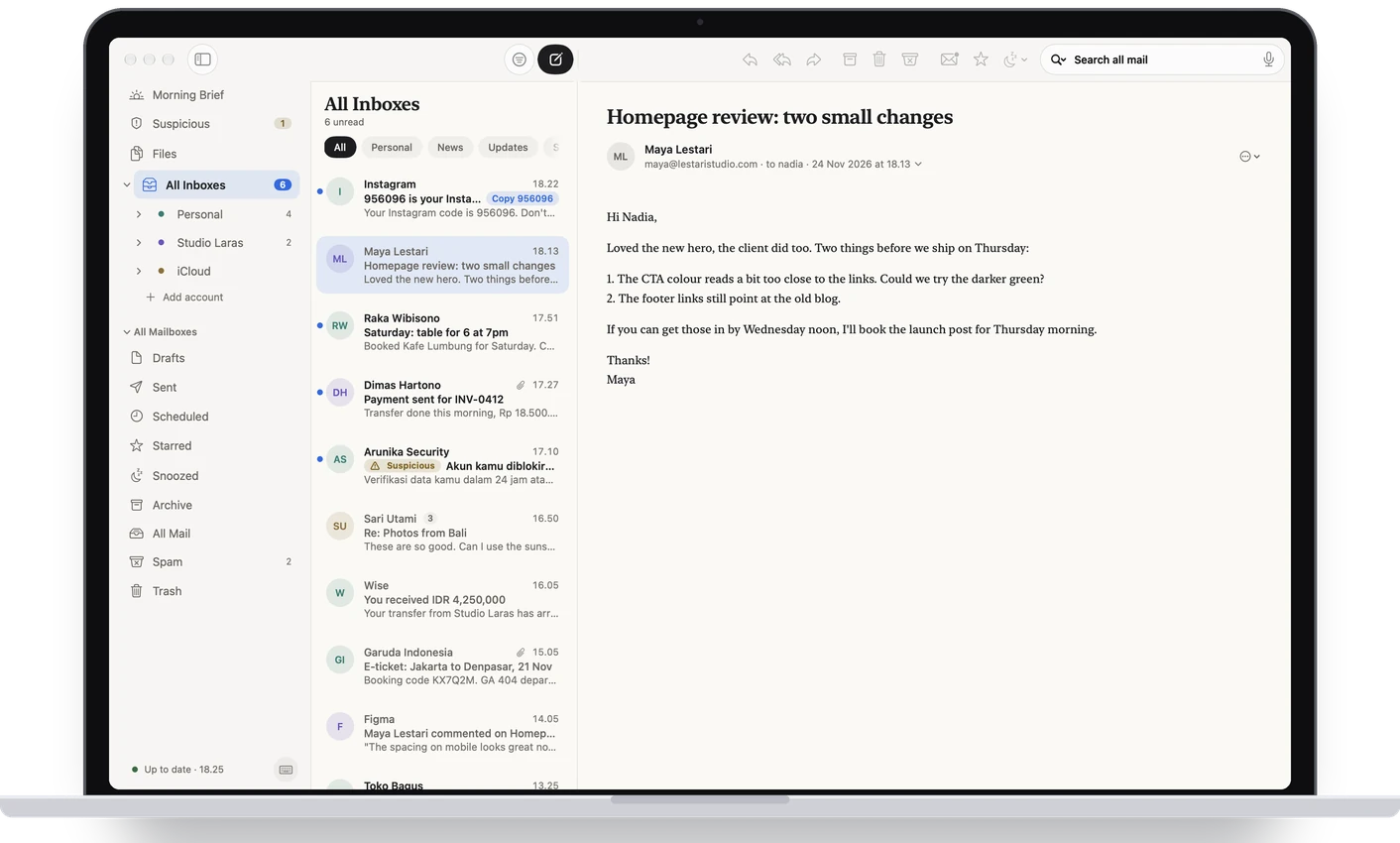
MailMind uses Apple's on-device models for three things: thread summaries, the Morning Brief and suggested replies, plus a rewrite tool for your own drafts. In its privacy policy, MailMind says your mail is not sent to any AI company.
- Needs Apple Intelligence. If it is off or your device does not support it, the AI features are hidden. Nothing else in the app depends on it.
- No MailMind server reads your mail. The app talks to Gmail, iCloud, Yahoo or your IMAP server directly, and keeps sign-ins in the Apple Keychain.
- On iPhone and iPad too. Summarize and Suggest replies sit under an email's subject, and a sparkle button in the formatting bar rewrites or translates your draft, with Undo Rewrite. Turn Apple Intelligence on in MailMind's Settings first; it's off by default.
- Pro for the writing tools. Rewrite and suggested replies are part of MailMind Pro. Reading and managing mail is free.
- AI assistants only if you ask. On Mac, an optional setting lets Claude or another app that supports MCP search the accounts you choose and propose drafts. It can't send or delete, and it stays off until you turn it on. Once on, what the assistant reads goes to that assistant, under its own terms.
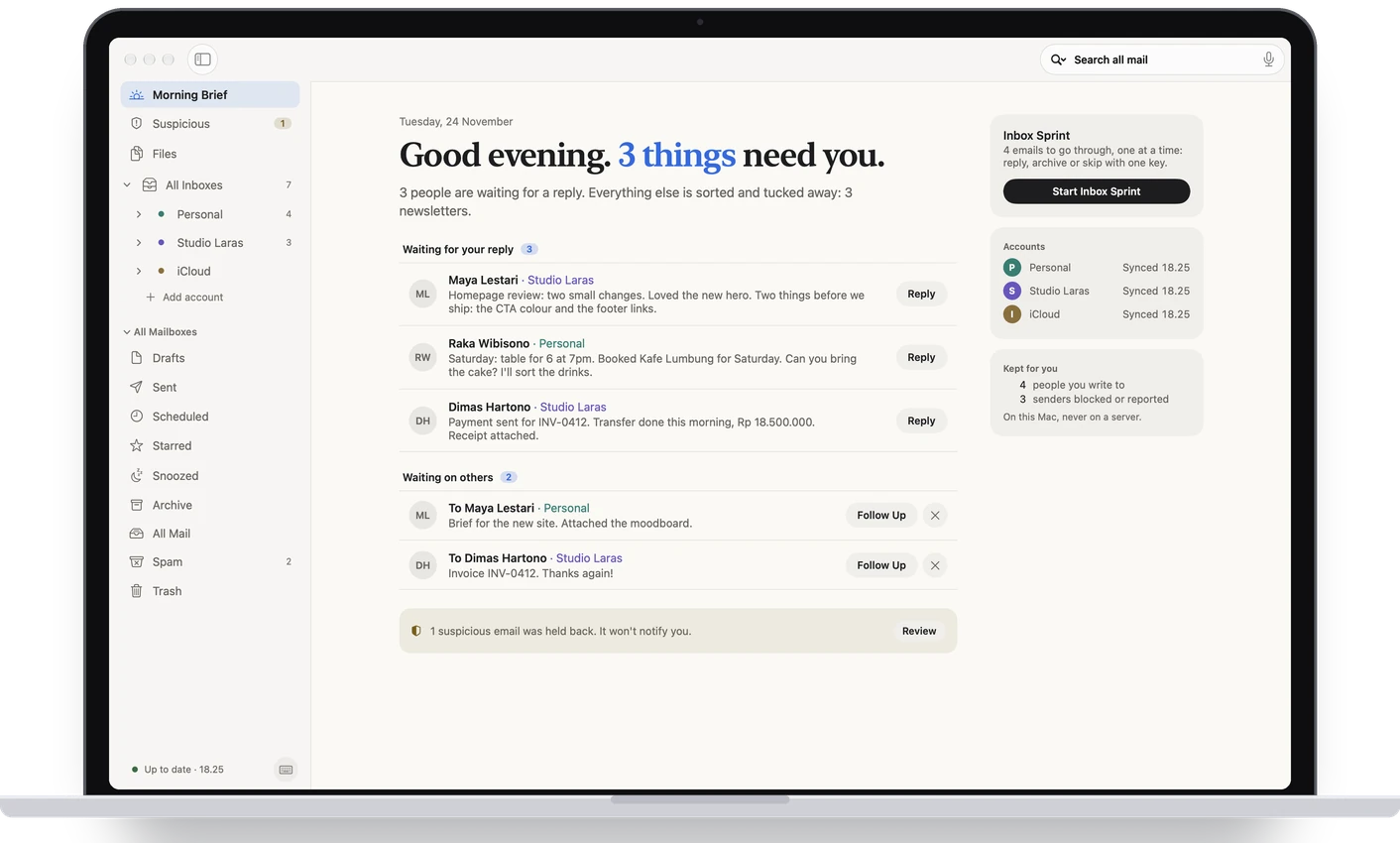
A fair limit: your mail still sits at your provider. If your worry is Gemini in Gmail, our guide to stopping Gmail's AI from reading your email covers the settings. For how the app handles data overall, read the privacy policy.
Is on-device AI as good as cloud AI?
Not for everything. A small local model is a good fit for short jobs: a three-line summary of a long thread, or a first draft of a reply. Treat it as a draft, and read it before you send. It is not the right tool for deep research across years of mail.
If you read a lot of newsletters or run several accounts, the quiet gain is not smarter text. It is that the summary of one thread never leaves the Mac. For managing several accounts in one inbox, see how to manage multiple Gmail accounts on Mac.
Frequently asked questions
What is on-device AI in an email app?
It means the model that writes summaries and replies runs on your own Mac, iPhone or iPad, so the text of your email is not sent to a server to be processed.
Do I need Apple Intelligence for MailMind's AI features?
Yes, only for the AI features (summaries, the Morning Brief, suggested replies and rewrite). They need Apple Intelligence turned on, on a device that supports it. Without it they are hidden and everything else still works.
Does MailMind send my email to an AI company?
No. Summaries, the Morning Brief and reply suggestions use Apple's on-device models. Your mail is not sent to any AI company, and there is no MailMind server that reads it. The one exception is your choice: on Mac you can turn on access for an assistant such as Claude, and what it searches then goes to it.
Is on-device AI as good as cloud AI?
Not always. Apple's on-device model is small, so it is best at short jobs like summarizing a thread or drafting a reply. Check the output before you send it.
A calm, private mail app for Mac, iPhone and iPad. Your mail stays on your devices, and the AI runs on them too. See what it does.
Get MailMind