Gmail search operators: a cheat sheet with examples
Gmail search operators are short words such as from:, has:attachment and older_than: that you type into the search box to narrow your results. Put several together with spaces, use OR for either one, a minus sign to leave something out, and quotes for an exact phrase. The table below has the ones worth knowing, each with an example.
Which Gmail search operators should I know?
Google lists every operator on its Refine searches in Gmail help page. These are the ones that come up again and again.
| Operator | What it finds | Example |
|---|---|---|
from: | Mail from a sender | from:amy@example.com |
to: | Mail sent to someone | to:me |
cc: bcc: | Mail where someone was copied | cc:john@example.com |
subject: | Words in the subject line | subject:invoice |
"..." | An exact phrase | "dinner and movie tonight" |
OR or { } | Either term | from:amy OR from:david |
AND | Both terms (a space does the same) | from:amy AND to:david |
- | Leaves a word out | dinner -movie |
( ) | Groups terms | subject:(dinner movie) |
AROUND | Words near each other | holiday AROUND 10 vacation |
has:attachment | Mail with any attachment | has:attachment report |
filename: | Attachments by name or type | filename:pdf |
larger: smaller: size: | Mail by size | larger:10M |
after: before: | Mail by date | after:2026/01/01 |
older_than: newer_than: | Mail by age, in days (d), months (m) or years (y) | older_than:1y |
in: | Mail in a place; in:anywhere includes Spam and Trash | in:archive payment reminder |
is: | Mail by status | is:unread, is:starred |
label: | Mail with a label | label:receipts |
category: | Inbox categories | category:promotions |
list: | Mail from a mailing list | list:info@example.com |
Gmail also understands mailbox names after in:, such as in:sent and in:trash. Dates work best written as year, month and day with slashes.
How do I combine operators in Gmail?
Put a space between operators and Gmail finds mail that matches all of them. A few real searches:
- Last year's PDF invoice from your accountant:
from:accountant@example.com filename:pdf after:2025/01/01 before:2026/01/01 - Big old emails eating your storage:
larger:10M older_than:2y - Promotions you never opened:
category:promotions is:unread older_than:3m - A phrase from either of two people:
"contract renewal" (from:amy OR from:david) - Receipts, minus one noisy shop:
subject:receipt -from:shop@example.com - Something you archived:
in:archive payment reminder
Three habits make searches work first time. Write OR in capitals, the way Google's examples do. Wrap anything with spaces in quotes or brackets. And start broad, then add one operator at a time until the list is short enough to scan.
Is there a way to search Gmail without typing operators?
Yes. On the web, click the search options button at the right end of the search box. You get a form with From, To, Subject, Has the words, Size and Date fields, and Gmail writes the operators for you. It's a good way to learn them: fill in the form, run the search, then look at what appears in the box.
The same form has a Create filter button, which turns a search into a rule that runs on new mail. That's the closest thing Gmail has to a saved search.
Which Gmail operators work in MailMind?
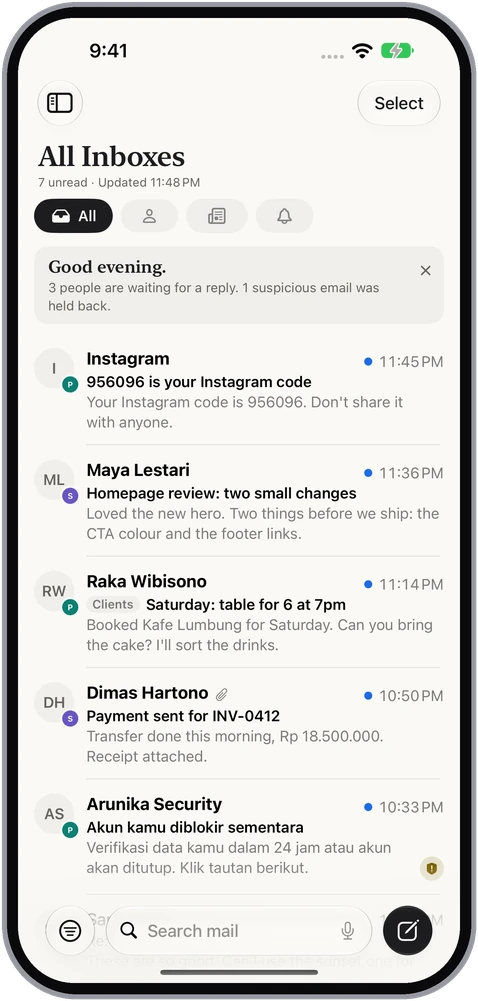
MailMind is a mail app for Mac, iPhone and iPad that searches its own index on your device and, for older mail, Gmail's search too. Its search understands the operators people use most:
| In MailMind | Notes |
|---|---|
from: to: cc: subject: | Same as Gmail |
label: | Your real Gmail labels |
in: | inbox, sent, spam, trash, starred, important, drafts |
filename: has:attachment | Same as Gmail |
is:unread is:starred | Same as Gmail |
after: before: | since: and until: work too |
"quoted phrase" | Always exact, never typo-corrected |
OR -word NOT word | Write OR and NOT in capitals |
You don't have to type operators at all. Plain words work: from bca, a file type such as pdf, or a date in words like yesterday or last month. As you type a name, people from your mail are suggested, and one click or tap turns the name into a from: search. For operators such as AROUND, larger: or older_than:, use Gmail on the web.
Typos are forgiven, and words typed together are read as Gmail reads them, so hellokitty finds "Hello Kitty". Text inside PDFs is searched too. Older mail on the server is searched by itself once you stop typing, you can pick the account and mailbox right from the results, and the email opens on the match.
Where are Search Tips in MailMind?
Every operator above is listed in Search Tips as an example you can tap to try. On Mac, click the ? in the results row. On iPhone, the tips sit under the search field before you type, and in the results row once you have results.
If Apple Mail is the app that won't find things, start with why Apple Mail search stops working. Looking for a word inside an attached file? See how to find an email by a word in a PDF.
Frequently asked questions
How do I search for an exact phrase in Gmail?
Put the phrase in double quotes, for example "quarterly report". Gmail then only matches those words together, in that order.
How do I search Gmail between two dates?
Use after: and before: together, with dates written as year, month and day, for example after:2026/01/01 before:2026/04/01.
What is the difference between has:attachment and filename:?
has:attachment finds any email with an attachment. filename: finds attachments by name or type, for example filename:pdf or filename:invoice.pdf.
Can I save a Gmail search?
Gmail has no list of saved searches, but you can open the search options form and click Create filter. That turns the search into a rule for new mail.
Which Gmail search operators work in MailMind?
from:, to:, cc:, subject:, label:, in:, filename:, has:attachment, is:unread, is:starred, after: and before: (or since: and until:), quoted phrases, OR, -word and NOT word. Search Tips lists each one as an example you can tap.
A calm, private mail app for Mac, iPhone and iPad. Your mail stays on your devices, and the AI runs on them too. See what it does.
Get MailMind