How to manage multiple Gmail accounts on a Mac
There are four ways to run several Gmail accounts on a Mac: Gmail's account switcher in one browser, a separate browser profile per account, Apple Mail's unified inbox, or a mail app built for several accounts. Browser setups are free but keep each account in its own window; a mail app puts them all in one place with one set of notifications.
Why is juggling Gmail accounts on a Mac so awkward?
Gmail was designed for the browser, one account at a time. Once you have a personal address, a work address and maybe one for a side project, you end up with a row of tabs, notifications that only come from whichever account Chrome considers the default, and replies sent from the wrong address. Here's how each fix works, from the quickest to the most complete.
1. Use Gmail's account switcher
In Gmail on the web, click your profile picture in the top-right corner and choose Add another account. You can then switch between accounts from the same menu, and open each one in its own tab.
Good for: two accounts you check now and then. Limits: every account still lives in its own tab, there's no combined inbox, and Google decides which account is the "default" for links and notifications.
2. Give each account its own browser profile
Safari profiles (File › New Profile, on macOS Sonoma and later) and Chrome profiles keep each account fully separate, with its own cookies, history and extensions. Add a Gmail web app to the Dock from each profile and every account gets its own icon.
Good for: keeping work and personal strictly apart. Limits: you now have several browser windows to keep open, notifications need permission per profile, and there's still no single place to see what's new across everything.
3. Add every account to Apple Mail
Open System Settings › Internet Accounts, choose Google, and sign in to each account. Apple Mail shows them all in one unified inbox, and you can pick the From address when you write.
Good for: a free, built-in combined inbox. Limits: Gmail labels appear as folders, so the same message can show up more than once, and Archive and Sent need a few settings changed. Our Apple Mail and Gmail fix guide covers them.
4. Use a mail app made for several accounts
"Wrapper" apps put each Gmail website in its own sidebar slot. They're simple, but each slot is a full web page, so memory use grows with every account you add. Native mail apps instead download your mail and show every account in one interface.
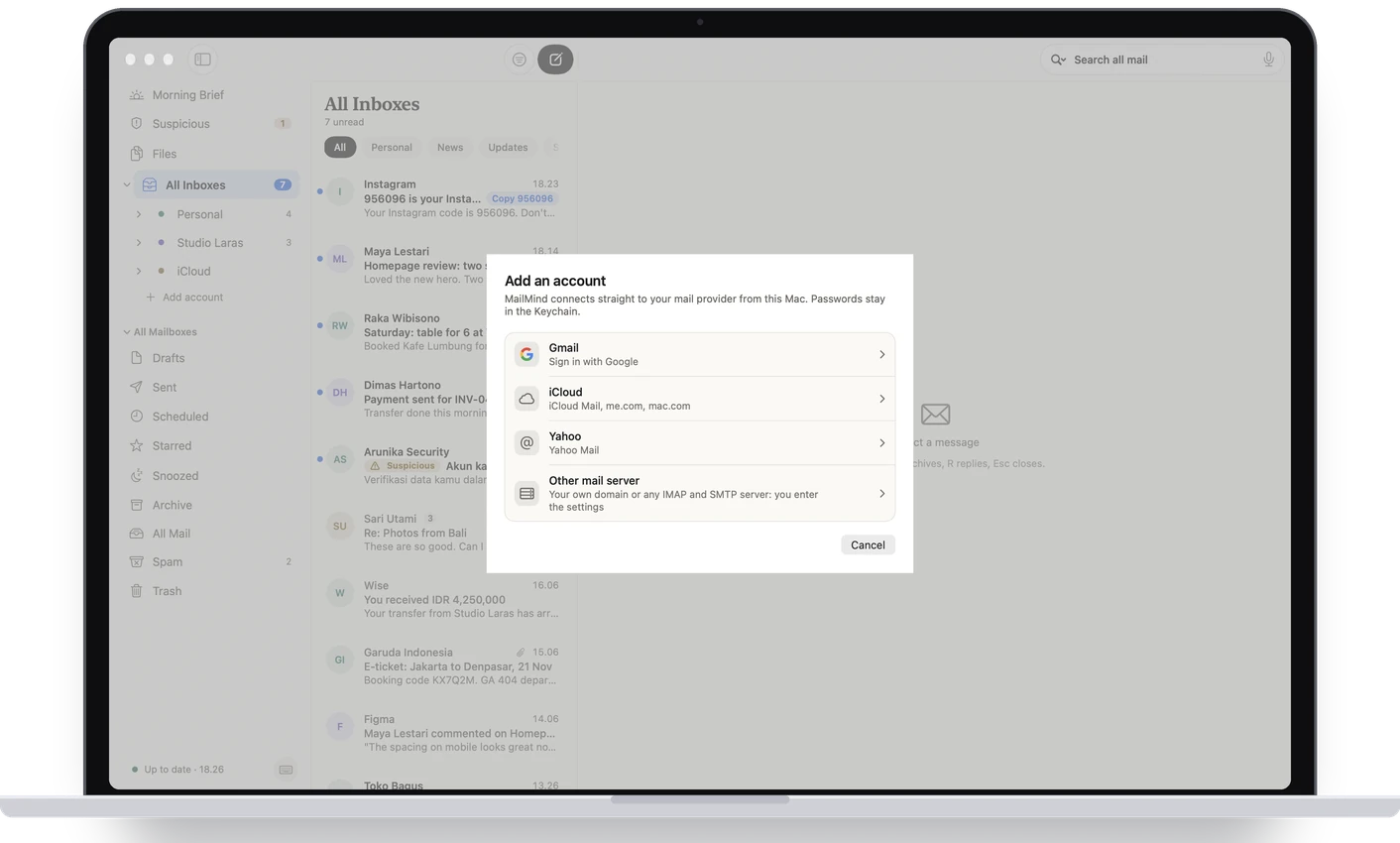
This is the job we built MailMind for. Each account gets its own colour, real Gmail labels, and the right From address when you reply, automatically. You can read one unified inbox or jump to a single account with ⌘1 to ⌘9. In the unified inbox, a small circle in the account's colour sits on each sender's picture, so you can tell which inbox an email came to. It works the same way on iPhone and iPad, where each inbox in Mailboxes opens to show its own labels with their unread counts.
If work and home shouldn't mix, group your accounts into profiles and switch between them. The inbox, the unread counts and the notifications follow the profile you're in, and a Focus can switch it for you.
Because MailMind connects straight from your Mac to Google, adding a fifth account doesn't mean handing a fifth password to anyone else; sign-ins are kept in the Apple Keychain.
Which setup should you choose?
| Setup | One combined inbox | Notifications for every account | Cost |
|---|---|---|---|
| Gmail account switcher | No | Unreliable beyond the default account | Free |
| Browser profiles | No | Yes, per profile | Free |
| Apple Mail | Yes | Yes | Free |
| Multi-account mail app (e.g. MailMind) | Yes | Yes | Varies; MailMind is free with optional Pro |
A good rule: two accounts, a browser is fine. Three or more, or any account you can't afford to miss, and a proper mail app pays for itself in saved attention.
How do I stop replying from the wrong account?
In Gmail on the web, go to Settings › Accounts and Import › "When replying to a message" and choose Reply from the same address the message was sent to. In Apple Mail, check the From field before you send. MailMind picks the address the message was sent to for you.
Comparing apps? See every Gmail app for Mac, compared.
Frequently asked questions
Can I see all my Gmail accounts in one inbox on a Mac?
Yes, with a mail app. Apple Mail and multi-account apps such as MailMind show every account in one unified inbox. Gmail on the web shows one account per tab.
How many Gmail accounts can I add to Apple Mail?
There is no practical limit; add each one in System Settings › Internet Accounts.
Do I need a separate Chrome profile for each Gmail account?
No. Gmail's account switcher works in one profile. Separate profiles keep cookies and history apart, which helps if you want work and personal kept strictly separate.
Will a multi-account mail app slow down my Mac?
Native apps that download mail usually use less memory than keeping several Gmail web pages open. Apps that wrap each Gmail website use more with every account.
A calm, private mail app for Mac, iPhone and iPad. Your mail stays on your devices, and the AI runs on them too. See what it does.
Get MailMind