How to export or back up a mailbox (mbox and .eml) from Apple Mail or Gmail
In Apple Mail, select a mailbox and choose Mailbox › Export Mailbox to save it as an .mbox file, or drag messages to the Finder to save each one as an .eml file. For a full Gmail backup, use Google Takeout and choose Mail. To bring an mbox back, use File › Import Mailboxes in Apple Mail.
mbox or .eml: which format do you need?
Both are plain, open formats that almost every mail app understands.
- mbox stores many emails in one file. Use it to back up or move a whole mailbox.
- .eml stores one email, with its headers and attachments. Use it to keep a single message, send it to a lawyer or support team, or file it next to a project.
People export mail for a few reasons: before closing an account, before switching apps, to keep records for taxes or work, or to free up space on the server. Whatever the reason, keep at least one copy somewhere other than the Mac you made it on.
How do I export a mailbox from Apple Mail?
- Open Mail and select one or more mailboxes in the sidebar.
- Choose Mailbox › Export Mailbox.
- Pick a folder (or make a new one) and click Choose.
Mail saves each mailbox as an .mbox package. If you export the same mailbox again, Mail adds a number to the name instead of overwriting the old one. Apple's import and export guide has the details.
Mail can only export what it has downloaded. Before exporting a big IMAP or Gmail mailbox, make sure it has finished syncing, then compare the message count in the export with the one in Mail. For very large mailboxes, exporting by year or by folder is easier to check.
How do I save single emails as .eml in Apple Mail?
Drag one or more messages from the message list to the desktop or a Finder window. Each becomes an .eml file. If you drag a conversation, each message is saved separately. For one message, you can also choose File › Save As and pick Raw Message Source. To keep a readable copy instead, use File › Export as PDF.
How do I export all my Gmail?
Gmail on the web has no "export mailbox" button. Google's tool for this is Takeout:
- Go to takeout.google.com and sign in.
- Click Deselect all, then check Mail. You can limit it to certain labels from the same row.
- Choose a delivery method, such as a download link by email, and a file type (.zip or .tgz).
- Click Create export and wait for Google's email.
Google says most people get the link the same day, but a large account can take a few days. The archive expires in about 7 days and can be downloaded a limited number of times. Labels are kept in each message's X-Gmail-Labels header. Google's Takeout help page explains every option.
Your mail arrives as one big mbox file inside the archive. For a single Gmail message, open it, click the three-dot menu and choose Download message to save it as an .eml file.
How do I import an mbox file back?
Into Apple Mail: choose File › Import Mailboxes. Pick Apple Mail for mailboxes exported from Mail, or Files in mbox format for mbox files from other apps, such as Google Takeout. Click Continue and choose the file or folder. The messages appear in a new mailbox called Import in the sidebar. From there you can drag them anywhere.
Into Gmail: there is no upload button for mbox files. Import the mbox into Apple Mail first, then drag the messages from the Import mailbox into a mailbox in your Gmail account. Mail uploads them over IMAP. For thousands of messages, do it in batches.
Into other apps: most desktop mail apps, Thunderbird included, can read mbox files. Check each app's import menu.
How do you export mail in MailMind?
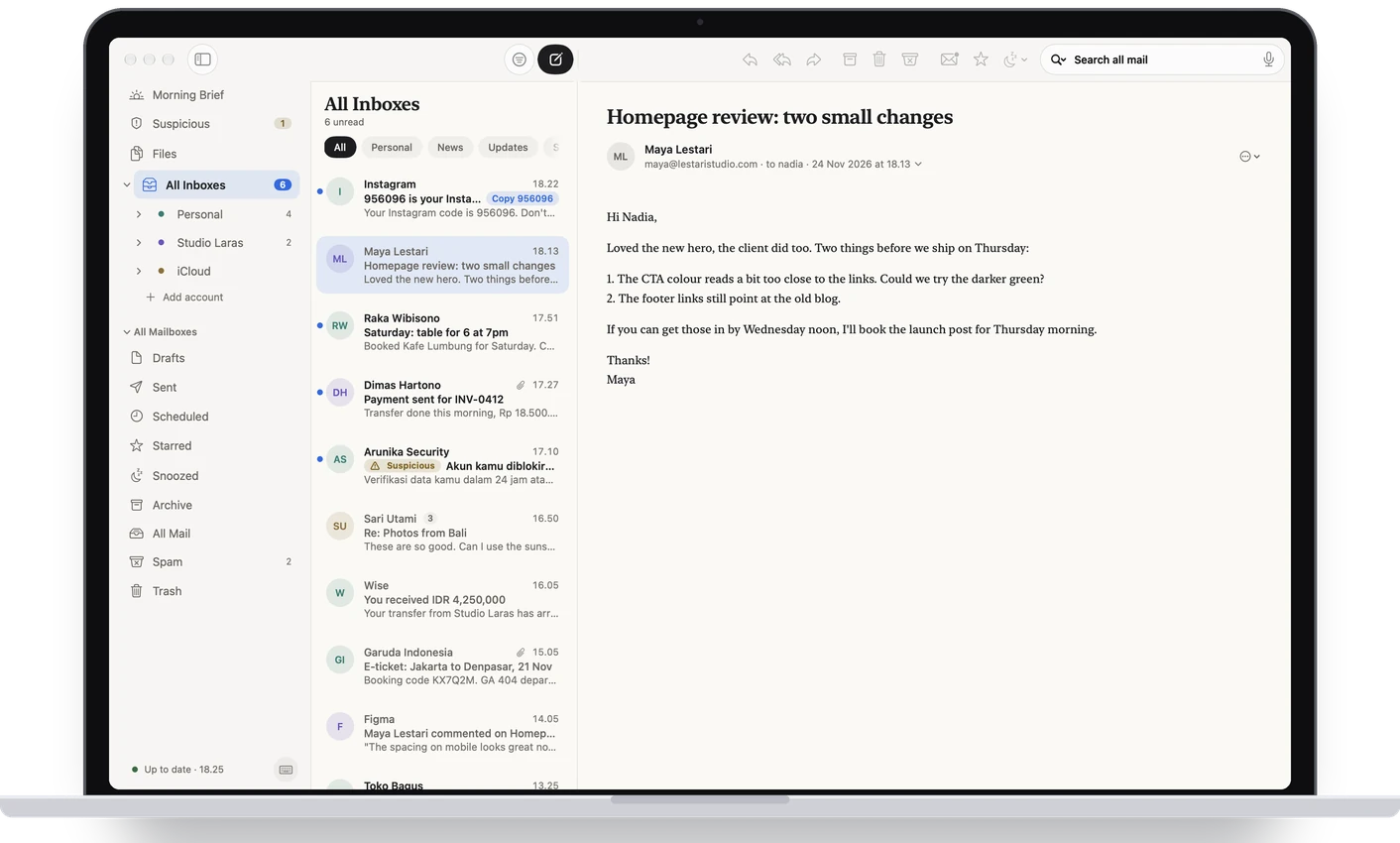
We added export to MailMind for free, because your mail should be easy to take with you.
On Mac:
- File › Export Mailbox… saves the emails in the current list as one mbox file, with attachments. Open the mailbox, label or search you want, then export it.
- File › Export Selected as .eml… saves one .eml file per selected email.
- In an open email, Save as .eml… saves just that message.
On iPhone: the Export Mail screen makes an mbox of the last 30 days, for one account or All Accounts. Tap Share or Save to Files to keep it in Files, iCloud Drive or another app.
Your settings, too. On Mac, Settings › Advanced › Settings backup has Export… and Import… buttons. The backup is a JSON file with your VIPs, accepted and blocked senders, rules, smart folders, signatures, templates, inbox tabs, quiet hours, appearance and more. It does not include your sign-ins, which stay in the Apple Keychain, so you sign in to each account again on a new Mac. Imported rules arrive switched off, so you can check them before they run.
Because MailMind keeps your mail in Gmail or on your IMAP server, uninstalling it loses nothing. Exports are for keeping your own copy, not for getting your mail out of MailMind.
A simple backup routine
- Once a year, run a Google Takeout of Mail for each Gmail account.
- Export any On My Mac mailboxes in Apple Mail, since they exist nowhere else.
- Save single important emails as .eml next to the project they belong to.
- Store copies on an external drive or a second cloud, not only on your Mac.
Freeing up space after the backup? See how to make Apple Mail use less space. Moving apps? Our guide to switching from Apple Mail covers what comes with you.
Frequently asked questions
What is the difference between mbox and .eml?
An mbox file holds many emails in one file, which suits a whole mailbox. An .eml file holds one email, which suits saving a single message or attaching it to a ticket.
How do I export all my Gmail?
Use Google Takeout at takeout.google.com, choose Mail, and create the export. Google emails you a download link, usually the same day. The archive expires in about 7 days.
Can I import an mbox file back into Gmail?
Gmail has no upload button for mbox files. Import the mbox into a desktop mail app such as Apple Mail, then drag the messages into a mailbox in your Gmail account, and the app uploads them.
Does exporting a mailbox delete the emails?
No. Exporting makes a copy. The original messages stay where they are.
Does MailMind's settings backup include my email or passwords?
No. The settings backup is a JSON file of your MailMind settings, such as rules, signatures and smart folders. Sign-ins stay in the Apple Keychain, and email stays in Gmail or on your mail server.
A calm, private mail app for Mac, iPhone and iPad. Your mail stays on your devices, and the AI runs on them too. See what it does.
Get MailMind