MailMind vs Apple Mail for Gmail
Apple Mail is free, fast and already on your Mac and iPhone, and for one or two simple accounts it's often enough. It treats Gmail as IMAP, though, so labels show up as folders, archiving needs a settings fix, and on iPhone Gmail is checked on a schedule. MailMind uses Gmail's own API, adds scam warnings with reasons and a sorted inbox, and keeps the same privacy: your mail stays between you and your provider.
How do Apple Mail and MailMind compare?
| Apple Mail | MailMind | |
|---|---|---|
| Price | Free, built in | Free; Pro $29.99 a year, $4.99 a month or $89.99 once |
| Gmail labels | Shown as folders | Real labels |
| Gmail filters | Not shown; Mail rules run on your device | Shown in plain words, and you can add, change or delete them |
| Archive in Gmail | Needs the archive mailbox set to All Mail | Works like Gmail on the web |
| New Gmail on iPhone | Fetched on a schedule | Background refresh; instant push with Pro |
| Sorting | Rules you write yourself | Personal, News and Updates tabs, the Screener, Morning Brief |
| Suspicious mail | Your provider's spam filter | Flagged with a plain reason |
| Tracking pixels | Mail Privacy Protection hides your IP and loads content privately | Blocked until you trust the sender |
| AI | Apple Intelligence summaries | Apple's on-device model: summaries, Morning Brief, suggested replies |
| Where your mail goes | Your provider and your devices | Your provider and your devices |
Why does Gmail feel odd in Apple Mail?
Gmail is built on labels, and Apple Mail speaks IMAP, which only knows folders. So one email with three labels appears in three folders, All Mail can create duplicates in search, and the Archive button needs a setting to match Gmail. You can fix most of it: our step-by-step guide for Apple Mail with Gmail covers the four settings.
On iPhone, Apple Mail can't get push from Gmail, so it checks on a schedule and new mail can arrive late.
What does Apple Mail do well?
It's free, it's already there, and it's private: like MailMind, it connects from your device to your provider with no middleman. Mail Privacy Protection is a strong default against tracking. If you have one or two accounts and don't mind the label quirks, stay with it.
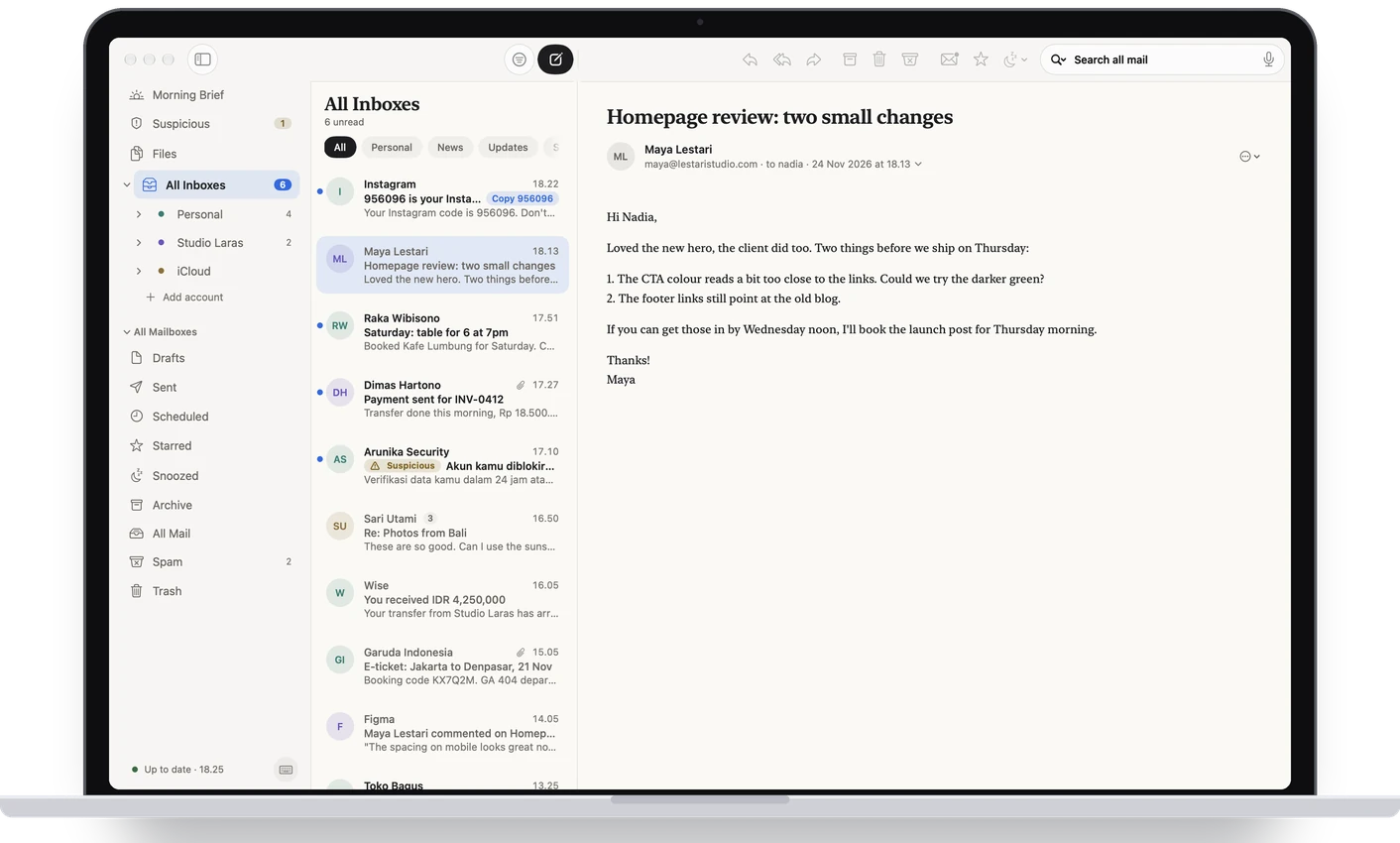
What does MailMind add?
- Gmail done the Gmail way. Real labels and archive, through Google's API. Your Gmail filters can be edited here and keep working on the web, and a signature can be saved to Gmail so the web uses it too.
- An inbox that sorts itself. Personal, News and Updates tabs keep real conversations on top, and the Screener asks once about a first-time sender: Let Through or Block. Unsubscribe takes one click and keeps that sender's later mail out of your inbox, with Undo.
- Profiles for work and home. Group your accounts and switch between them; the inbox, counts and notifications follow.
- Scam Shield. Suspicious mail says why: a spoofed sender, a look-alike domain, a failed sender check, a link that goes somewhere else.
- One key per action. E archives, # deletes, J and K move.
- Instant Gmail push on iPhone with Pro.
Honest limits: Apple Mail costs nothing and has years of polish. MailMind isn't on the App Store yet, and some features (instant push, Inbox Sprint, Bills & receipts, Send Later) are Pro.
Can I use both?
Yes. Both read the same mail from your provider, so you can try MailMind next to Apple Mail and keep whichever you like. Nothing moves or gets deleted by adding an account.
Frequently asked questions
Why do my Gmail emails show up twice in Apple Mail?
Gmail's All Mail holds every message, and Apple Mail shows it as a folder, so search can find the same email in All Mail and in the folder for its label. Hiding All Mail from search fixes most of it.
Does Apple Mail get Gmail push notifications on iPhone?
No. Apple Mail checks Gmail on a schedule on iPhone, so new mail can arrive late. Gmail's own app and some third-party apps offer push.
Is MailMind as private as Apple Mail?
Yes. Both connect straight from your device to your mail provider. MailMind keeps your sign-in in the Apple Keychain, and its AI runs on your device.
Is Apple Mail enough for Gmail?
For one or two accounts with a few settings changed, often yes. With several accounts, lots of newsletters or a lot of scam mail, a Gmail-aware app helps.
A calm, private mail app for Mac, iPhone and iPad. Your mail stays on your devices, and the AI runs on them too. See what it does.
Get MailMind