
Know what's due before it's due.
Oorus tracks the bills and debts that come back every month and reminds you days ahead, early enough to actually move the money.
Free for iPhone · iOS 17 or later · No account, no ads, no tracking
What it does
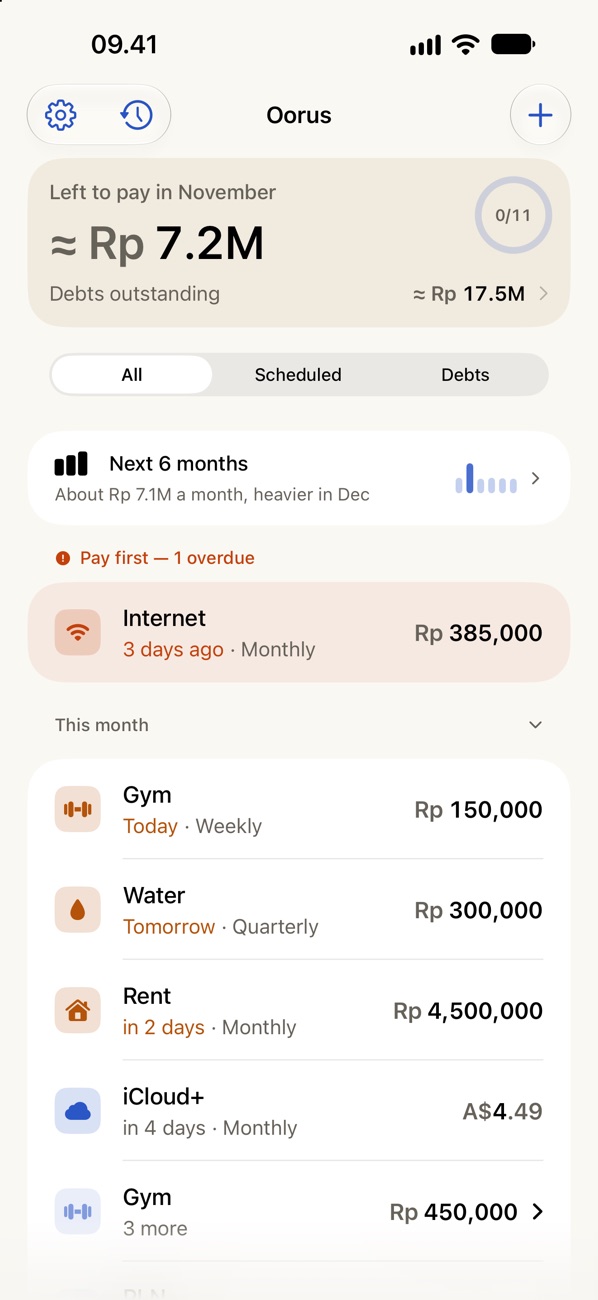
One number up front: what's left to pay this month. Everything else is there to make sure that number never surprises you.
Reminders with a head start
Choose how many days' notice you want. Set three days and every bill tells you three days early, then again on the day.
Overdue bills, named
Anything past its due date is listed by name and amount at the top, under "Pay first", not just counted.
Any repeat cycle
Once, daily, weekly, monthly or yearly, with an optional end date for loans that finish. Monthly bills on the 31st behave like real billing.
Debts with no schedule
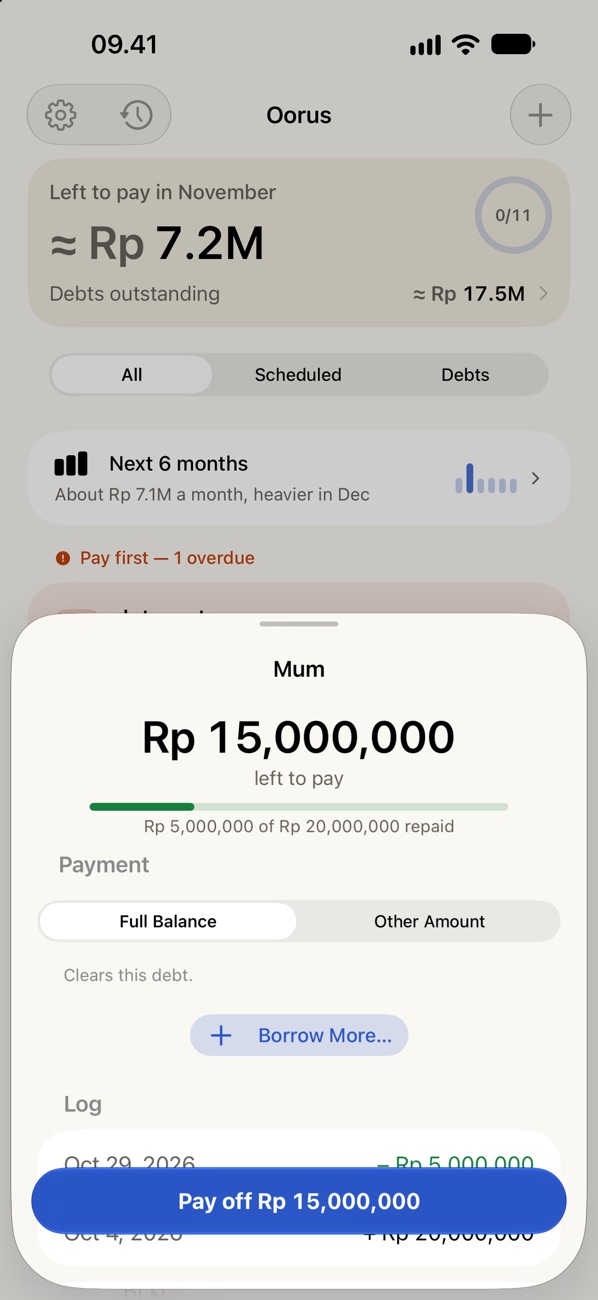
Borrowed money from family? Pay it back in any amounts. Every repayment is logged, a bar shows how much you've paid back, and the debt leaves once it's paid off.
Every currency, one total
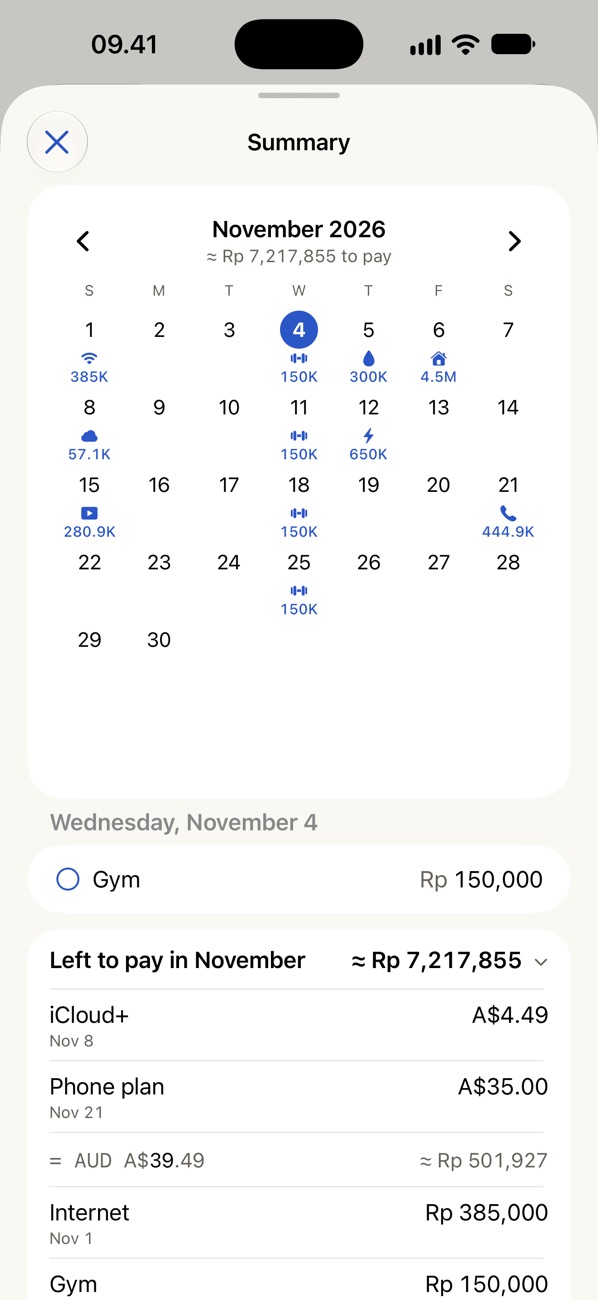
Each amount stays in its own currency. The summary adds them up in the one you choose using daily ECB rates, always marked "≈".
Bills you can spot
Each bill gets an icon for what it is, electricity, water, rent, internet, streaming and more, picked up from the name you give it. The ring up top counts how many are paid.
The months ahead
A small chart shows the next six months, so a heavy December or a yearly insurance bill is visible long before it lands.
A record of what you've paid
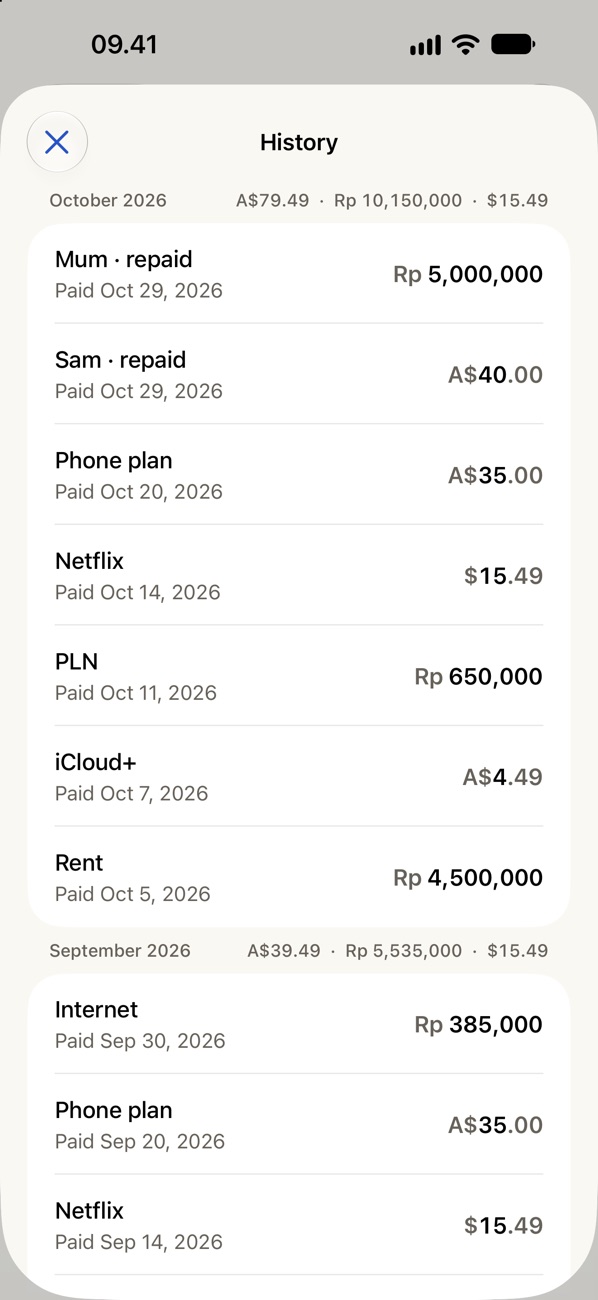
Mark a bill paid and it rolls to the next cycle. History groups it all by month, with per-currency totals.
A look inside
Private by design
Oorus has no accounts and no servers of its own. Your payments, amounts and notes stay on your iPhone and, from version 1.2, in your own private iCloud, where only your Apple account can read them. The only other thing the app downloads is the day's public exchange rates, and it sends nothing about you with that request. Reminders are scheduled by iOS on the device. Read the privacy policy.
Support
Questions, a bug, or an idea? Email hello@ninetosix.id and include your iPhone model and iOS version if something isn't working. We usually reply within two working days.
Is Oorus really free?
Yes. There are no ads and no subscriptions, and every feature is free. From version 1.2 there's an optional tip jar in Settings → Tip jar, for anyone who wants to say thanks. Tips unlock nothing extra.
I'm not getting reminders.
Check Settings → Notifications → Oorus on your iPhone and make sure notifications are allowed. If reminders can't be scheduled, the Oorus dashboard will tell you. The lead time is set in Oorus's own Settings.
Why can't I pick some end dates?
An end date must land a whole number of cycles after the due date. A weekly bill due 7 July can end on 14, 21 or 28 July, but not on the 20th. The calendar only lets you tap valid dates.
Why is one currency missing from the combined total?
Totals are converted with European Central Bank reference rates, which cover about 30 currencies. A currency outside that list is still shown on its own, just not added into the converted total.
Can I sync between devices or back up my data?
Yes, from version 1.2. Your payments and debts sync through your private iCloud, so they come back on a new iPhone or after reinstalling, as long as you're signed in to iCloud. You can also export a backup file from Oorus's Settings and restore it later.